
How to score
Score your first round
in under two minutes.
Seven steps, in the order they happen on the range. Watch the one you're stuck on, or watch the lot before you head out.
Free forever. No credit card. Scoring works with no signal.
 1
1Start round
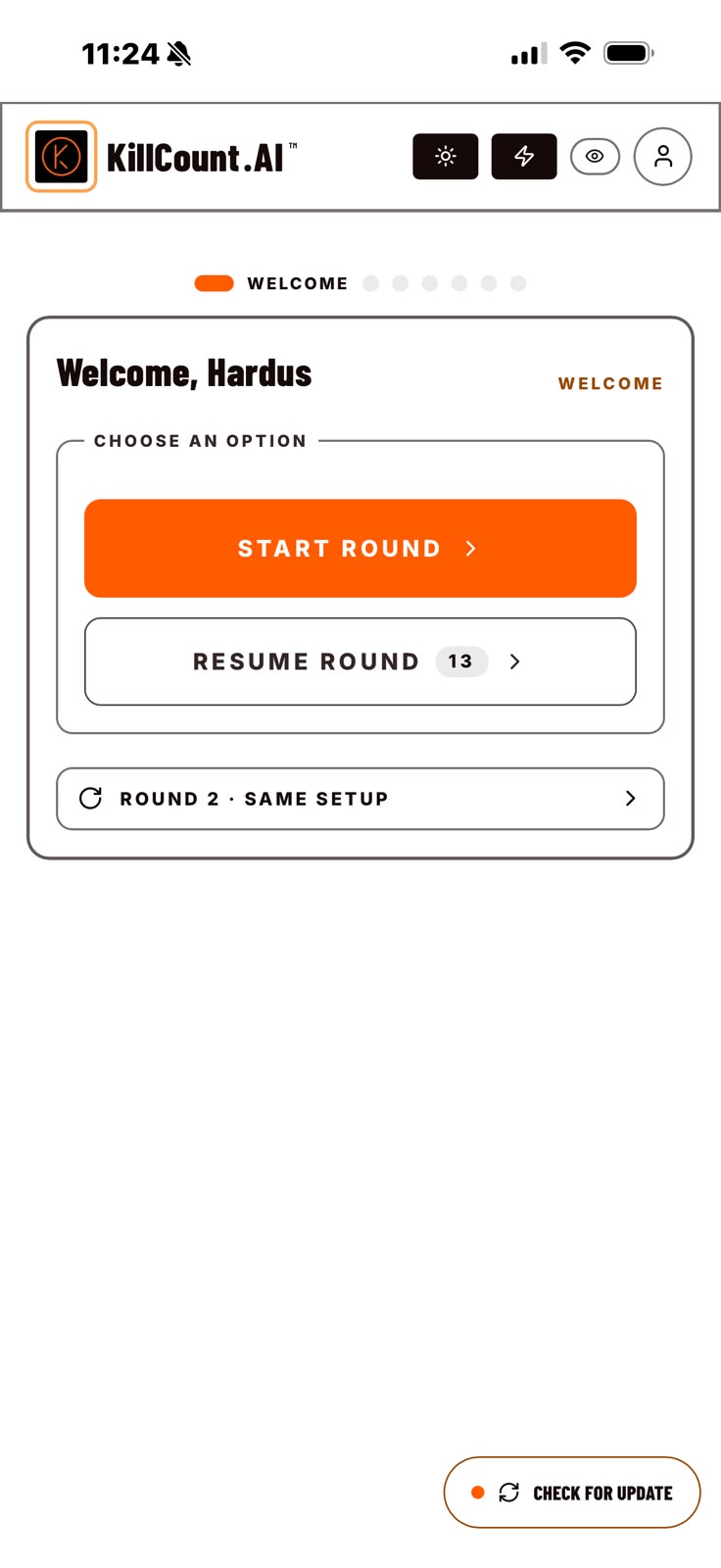
freeOpen KillCount and start a fresh round — or pick up one you left on the range.
The welcome screen asks one question: start a new round, or carry on with one already open. A round you started at the ground and never finished is waiting here, exactly where you left it.
 2
2Round setup
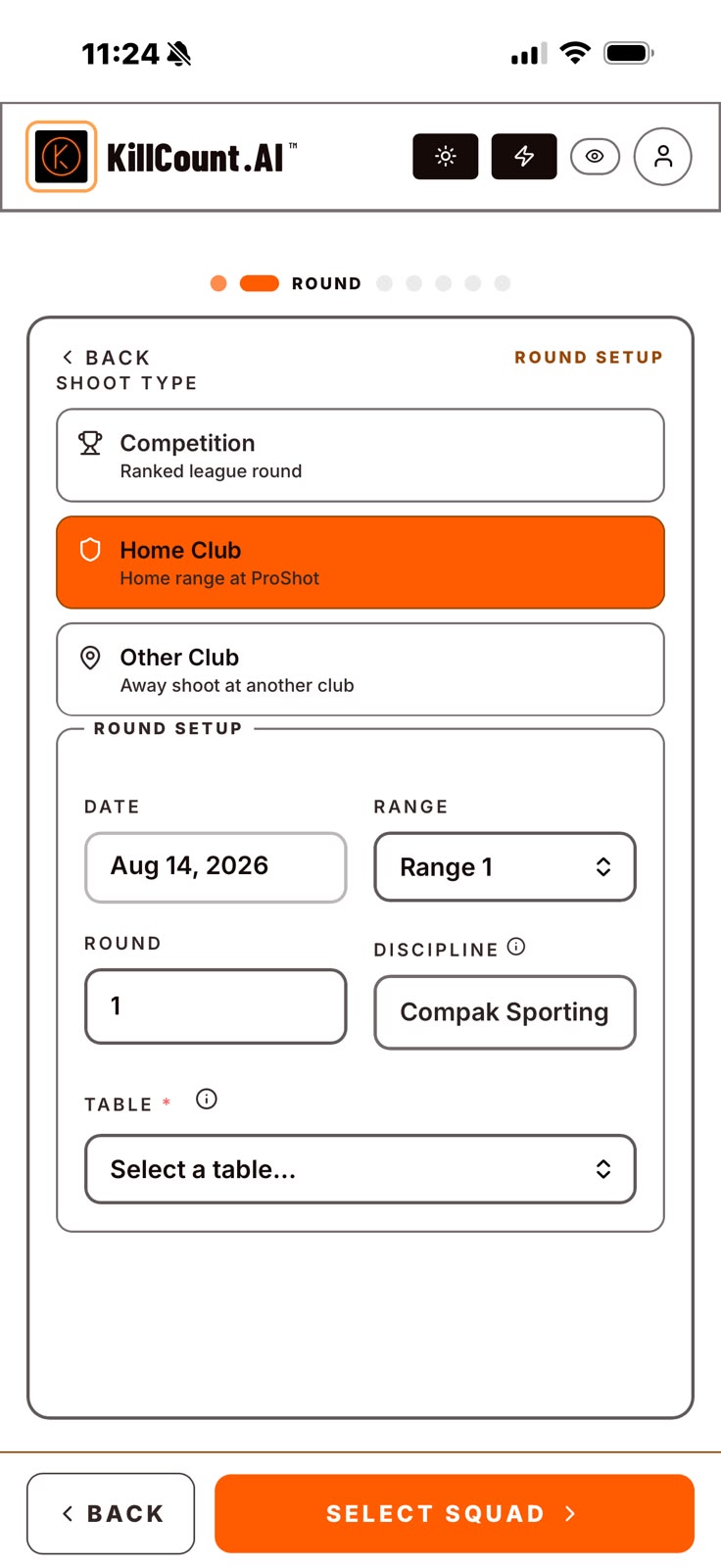
freeSet the date, range, round number and discipline before you climb off the stand.
Tell it whether this is a competition, a home club shoot or an away shoot, then the date, the range, the round number and the discipline — Compak Sporting, Sporting Clays, English Sporting (Doubles), Compak 20, Trap or Skeet.
 3
3Build the squad
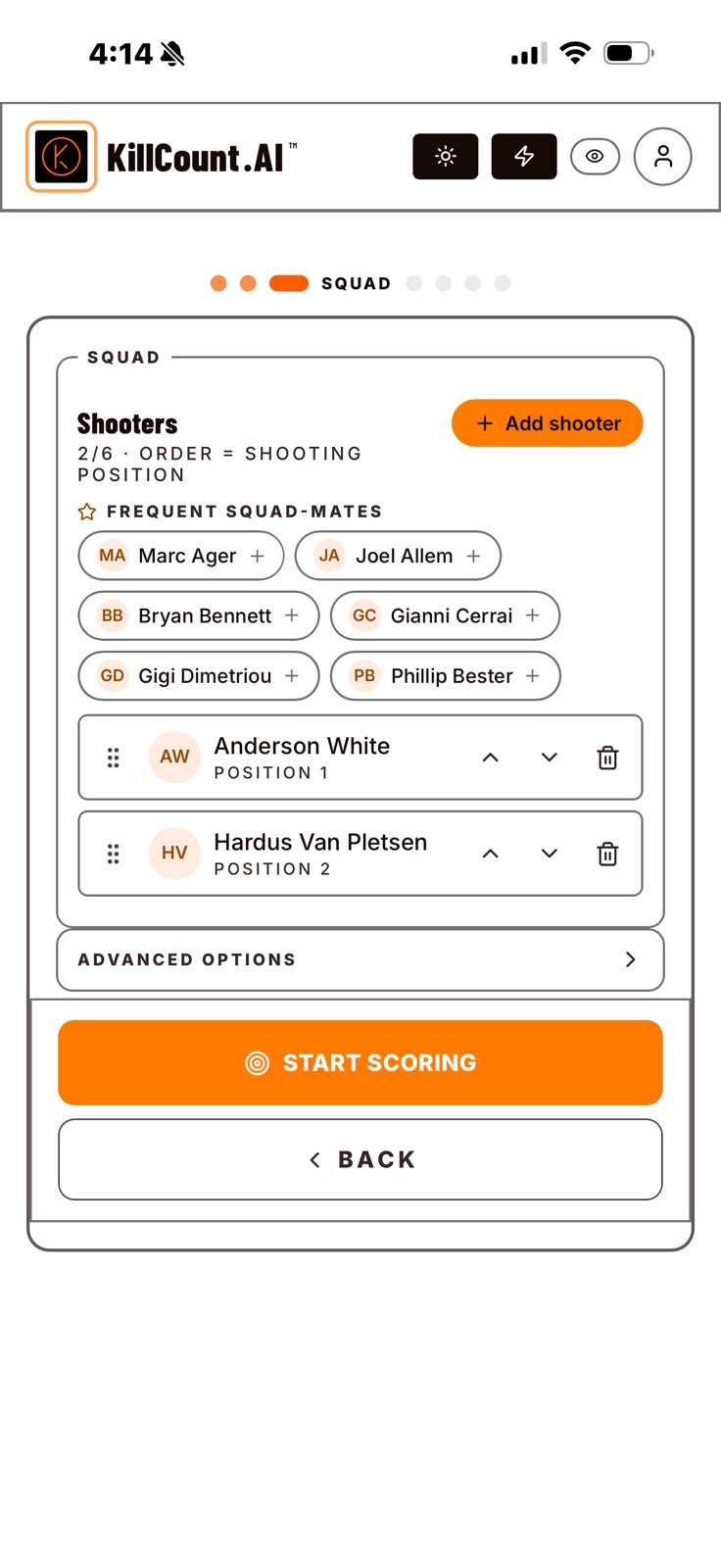
freeRepeat last squad, add a walk-in guest, then drag to set the shooting order.
Your last squad and your regular squad-mates are one tap away. Someone joined on the day? Add them as a guest in seconds. Then drag the list into shooting order — position in the list is position on the stand.
 4
4Score
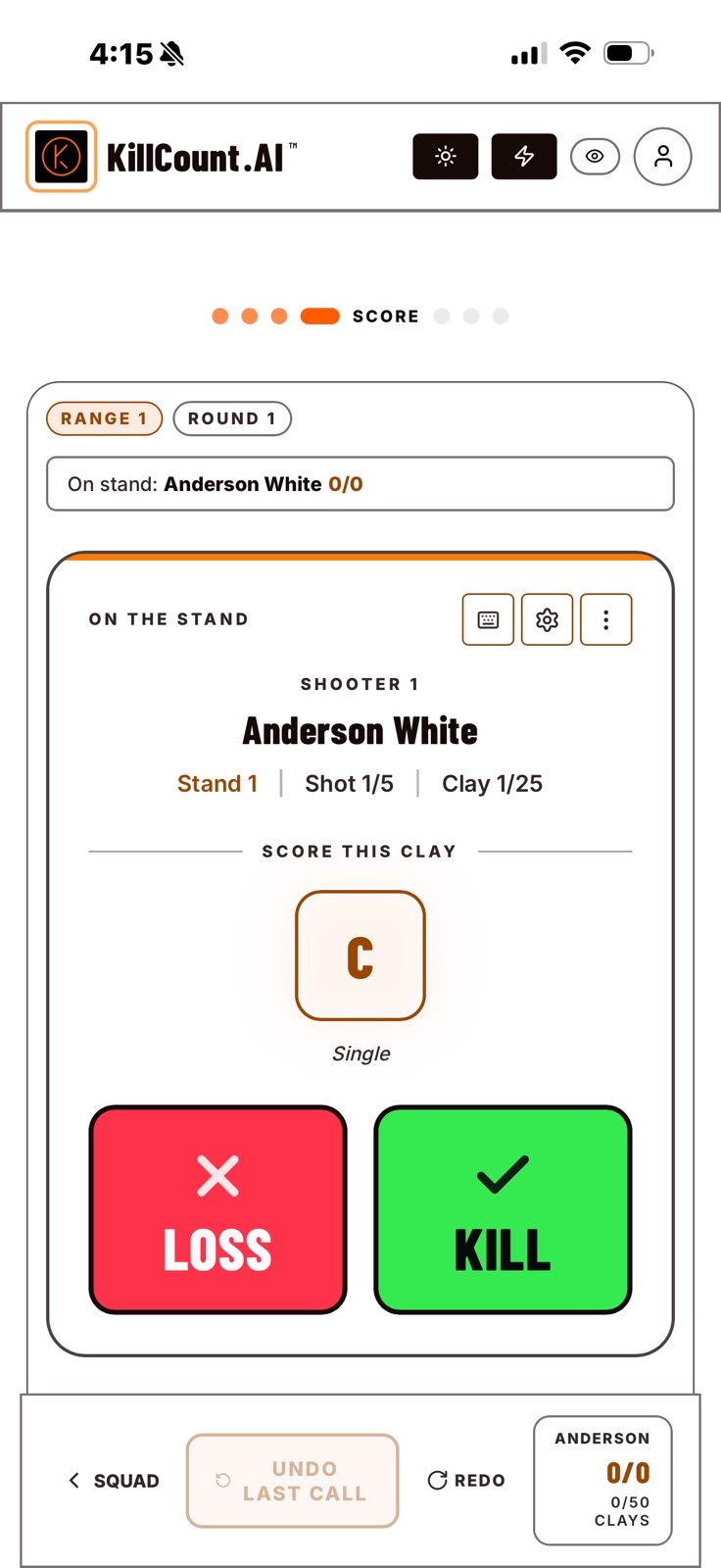
freeOne tap per clay, with the stand and clay counters always in view.
Big Kill and Loss buttons, the target called out, and the stand and clay counters always visible. The squad rotates to the right stand for the next shooter on its own. It works with no signal at all.
 5
5Review & save
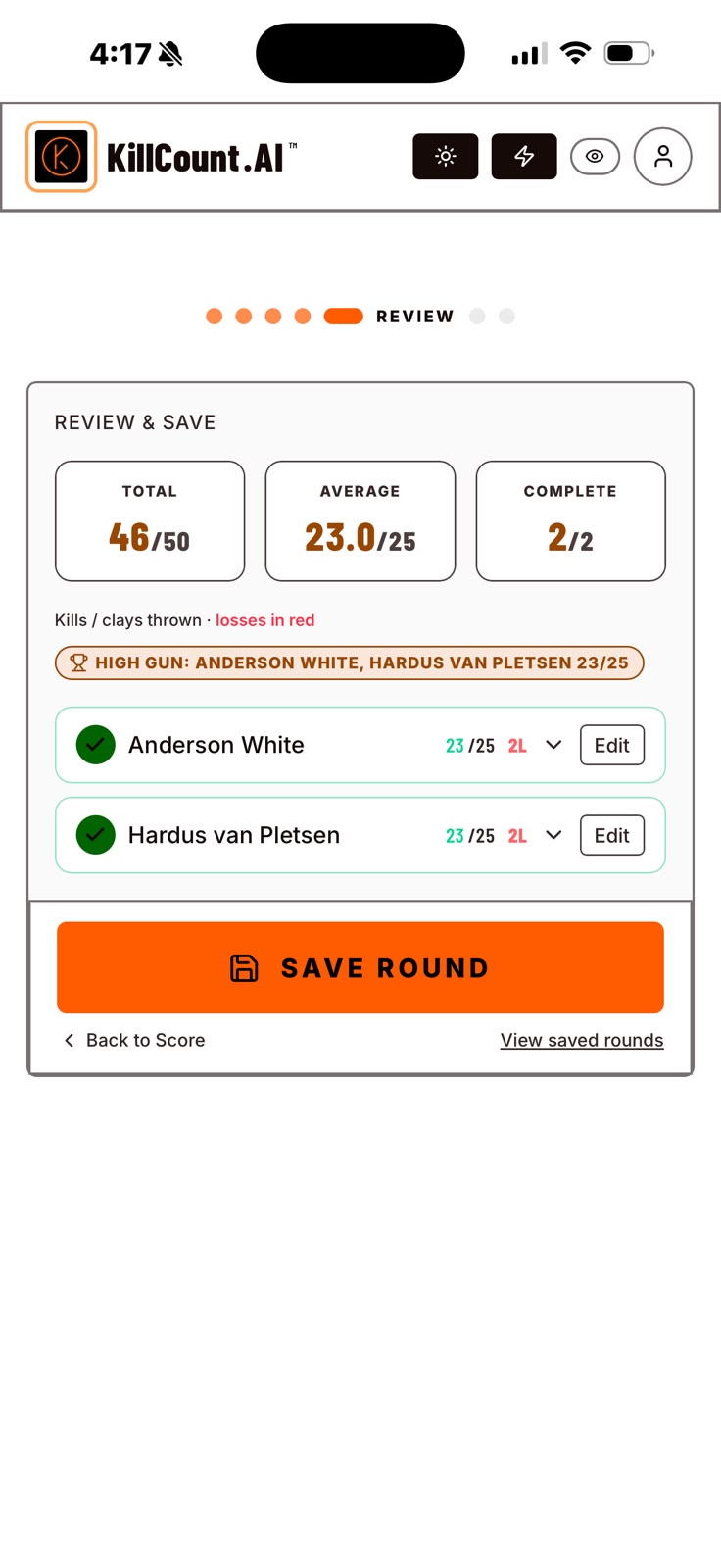
freeTotals and high gun before anything is committed — fix a call, then save.
Before the round is kept you see every shooter's total, the average and the high gun. Tap any clay in the grid to correct a call, expand a shooter to check their shot-by-shot string, then save.
 6
6Recap & share
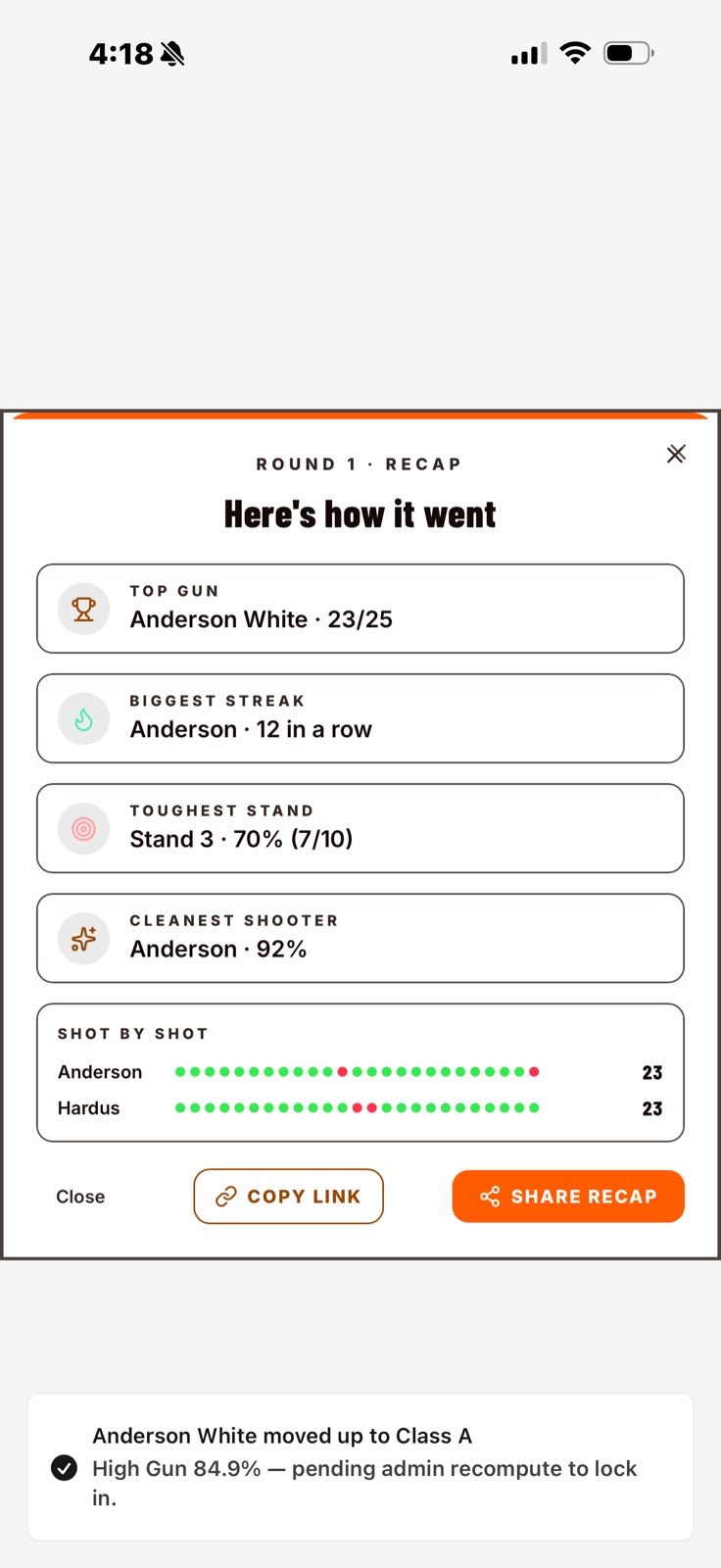
freeTop gun, biggest streak, toughest stand — then one tap to send the card.
The recap reads like a result the squad actually wants: top gun, biggest streak, toughest stand, cleanest shooter. One tap turns it into a card for the club group chat.
 7
7Analytics & insights
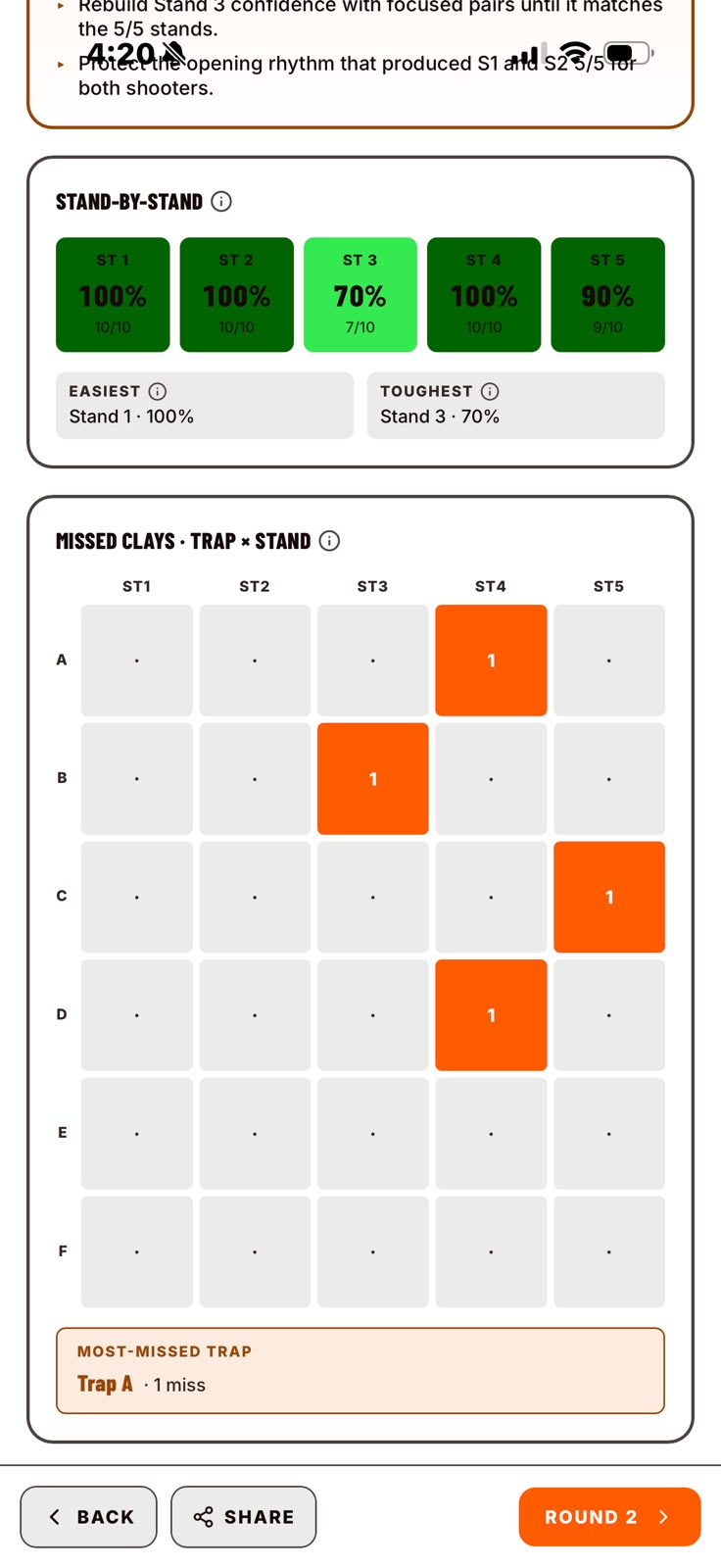
proWhere the round leaked, stand by stand, with a read on what to fix next.
Hit rate per stand, a missed-clay heatmap across every trap, streaks and pair splits — plus a plain-English take on what cost the round and what to work on at the next practice.
That's the whole round.
Steps 1 to 6 are free and work with no signal. Step 7 — the analytics and the coach's read — is Pro.